Planning
Daily Planning: How to Plan Your Day in 10 Minutes
Plan a realistic day in ten minutes by checking constraints, choosing one must-do, placing focused work, adding buffers, and defining a clear shutdown.
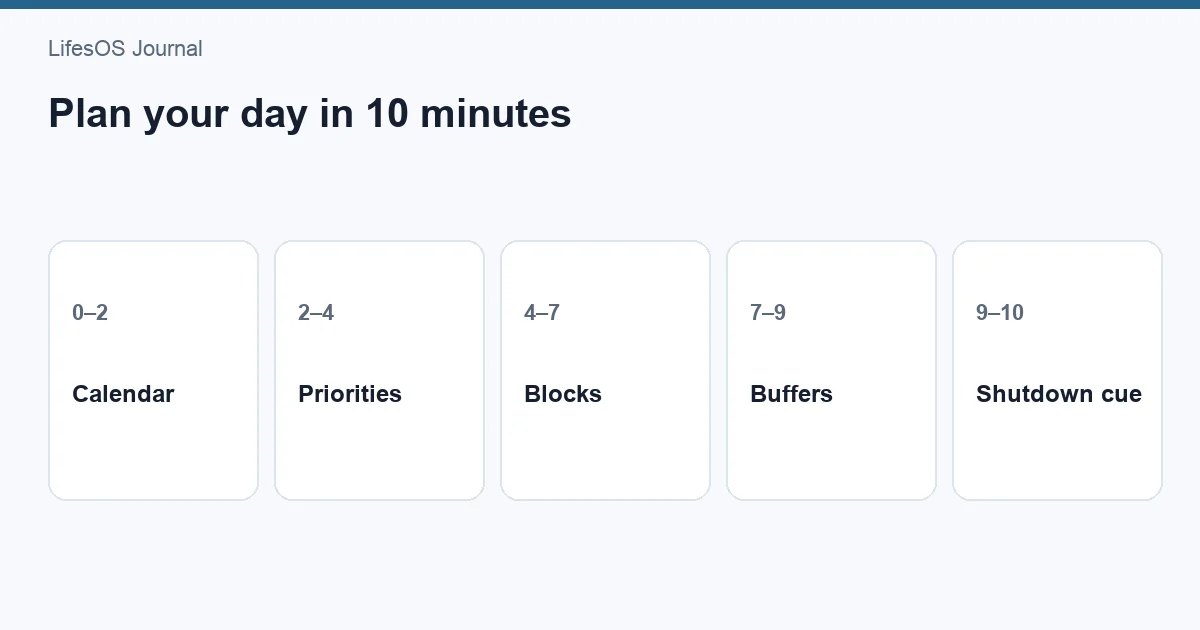
To plan your day in 10 minutes, check fixed commitments first, choose one must-do and up to two supporting outcomes, estimate your real capacity, and place the work into open calendar blocks. Add transition time and at least one buffer, then decide what can move if the day changes. End by defining the first physical action: open the document, pack the bag, or call the office.
This method produces a usable forecast, not a minute-by-minute contract. It combines the task list with the calendar so priorities fit the hours you actually have. Use it in the morning when your schedule changes overnight, or the evening before if you prefer to begin without planning decisions.
What you need before the timer starts
Open three things: your calendar, one trusted task list, and a place to record today's plan. Avoid planning directly from email or chat; incoming requests can make the loudest item look like the most important one.
Your calendar shows fixed constraints. Your task list shows possible work. The daily plan is the small set you choose after comparing both. This distinction is explored further in task list vs calendar vs time blocking.
The 10-minute daily planning routine
| Minute | Action | Output |
|---|---|---|
| 0–1 | Check today's condition | Energy and urgent changes |
| 1–3 | Scan fixed commitments | True open capacity |
| 3–5 | Choose outcomes | One must-do and up to two supports |
| 5–7 | Place work into time blocks | Calendar commitments |
| 7–8 | Add buffers and transitions | A resilient schedule |
| 8–9 | Write a fallback plan | What moves if capacity drops |
| 9–10 | Prepare the first action | A clear start |
Minute 0–1: check today's condition
Ask what changed since the last plan. Check energy, health, caregiving, urgent messages already known, and anything that affects location or time. This is not a mood test that decides whether you act. It helps match the plan to reality. A low-energy day may support routine administration better than difficult writing.
Write one short condition note: “Normal capacity,” “Poor sleep—protect essentials,” or “School pickup moved to 3:00.” This prevents you from planning for an imaginary version of today.
Minutes 1–3: scan fixed commitments
Add meetings, appointments, classes, shifts, travel, meals, caregiving, and deadlines that must happen today. Include preparation and transition time. A 10:00 appointment 30 minutes away may occupy 9:15–11:15, not one hour.
Look at the open periods that remain. Subtract basic maintenance and a buffer before treating them as usable work capacity. If only two discretionary hours remain, do not choose six hours of tasks.
Minutes 3–5: choose one must-do and two supports
Select one outcome that would make the day meaningfully successful. It should be specific and achievable: “Send the revised proposal by 3:00,” not “Work on proposal.” Then choose up to two supporting outcomes that fit around it.
Use these questions:
- What has a real deadline or consequence today?
- What advances a current weekly priority?
- What becomes harder if delayed?
- What can be reduced, delegated, or removed?
A must-do is not always work. It may be attending a medical appointment, resolving a bill, resting during illness, or preparing meals for a demanding week.
Minutes 5–7: place work into open blocks
Put the must-do in the strongest suitable period, then place supporting outcomes. Match block length to scope and energy. Give each block a verb and finish line: “Draft introduction and recommendations, 9:00–10:15.”
For new work, allow more time than your optimistic estimate. If the block cannot fit, reduce the scope now. A focused 45-minute first draft can be useful; “finish the entire report sometime today” is not a plan.
This is a light version of time blocking. You do not need to schedule every minute. Fixed commitments, meaningful work, and key personal needs are enough.
Minute 7–8: add buffers and transitions
Add 10–15 minutes around demanding commitments and keep one larger open period when possible. Buffers absorb late calls, setup, overruns, traffic, breaks, and unexpected requests. They are part of the plan, not unused space.
If your role is interruption-heavy, plan only 50–60% of open capacity. If the day is stable and self-directed, 70–80% may work. A plan at 100% becomes obsolete after the first delay.
Minute 8–9: write a fallback plan
Decide in advance what changes if capacity drops. Label tasks:
- Protect: the must-do or time-sensitive commitment.
- Shorten: a smaller version that still produces value.
- Move: a task with a specific alternate time.
- Drop: an optional item that can disappear.
A fallback prevents every surprise from triggering a complete replan. Example: “If the client call runs long, shorten inbox processing to 15 minutes and move the workout to Saturday; keep the proposal block.”
Minute 9–10: prepare the first action
Reduce startup friction. Open the document and write the next heading, place the phone number in your notes, pack training clothes, or gather the forms. Silence irrelevant notifications during the first focus block.
The first action should be physical and visible. “Get organized” is vague. “Open the renewal page and locate the policy number” gives you somewhere to begin.
Build tomorrow in LifesOS Schedule with one priority block, two supporting outcomes, and enough buffer for real life.
Example of a realistic planned day
Sam works from home, has two meetings, needs to finish a client brief, wants to exercise, and must pick up groceries. The original task list contains 12 items. The 10-minute routine produces this plan:
| Time | Block | Finish line |
|---|---|---|
| 7:30–8:15 | Morning routine | Breakfast and ready for work |
| 8:15–8:30 | Daily planning | Calendar and first action ready |
| 8:30–10:00 | Must-do: client brief | Complete draft and send for review |
| 10:00–10:15 | Buffer | Break or absorb overrun |
| 10:15–11:00 | Team meeting | Capture assigned actions |
| 11:00–11:30 | Admin batch | Handle urgent replies only |
| 11:30–12:30 | Lunch and walk | Eat away from desk |
| 12:30–1:15 | Supporting task | Review budget renewal options |
| 1:15–2:00 | Open buffer | Requests, overrun, or lower-priority work |
| 2:00–3:00 | Client meeting | Agree next steps |
| 3:00–3:20 | Meeting follow-up | Send notes and update tasks |
| 3:20–4:15 | Supporting task | Complete two small project actions |
| 4:15–4:30 | Shutdown | Capture, update, and choose tomorrow's start |
| 5:00–6:00 | Groceries | Buy from prepared list |
| 6:15–6:45 | Short workout | 30-minute session |
Seven task-list items remain unscheduled. That is not failure; it is honest capacity management. The must-do has the best morning block, the day contains buffers, and personal commitments are visible.
Adapt the routine to different days
A meeting-heavy workday
Protect one 30–60-minute focus block before meetings begin, batch follow-ups after the final meeting, and increase transition time. The must-do may be one decision or document rather than a large project.
A student day
Add classes, travel, meals, and assignment deadlines first. Choose one study result such as “complete 20 practice problems.” Put difficult study near your strongest energy and keep a buffer before submission deadlines.
A caregiving day
Use shorter blocks and distinguish fixed care from uncertain windows. Choose a minimum useful outcome and one optional task that is safe to drop. Rest and coordination may be central parts of the plan.
An irregular shift
Plan relative to waking and shift times instead of standard morning hours. Protect sleep, transport, meals, and recovery. Put one priority into the best available pre- or post-shift block.
How much buffer does your day need?
| Day type | Suggested planned share of open time | Buffer approach |
|---|---|---|
| Stable, self-directed | 70–80% | Short transitions plus one open block |
| Meeting-heavy | 60–70% | 10–15 minutes between meetings |
| Interrupt-driven | 50–60% | Office hours and larger catch-up windows |
| Caregiving or uncertain health | 40–60% | Short blocks with clear fallback versions |
| Travel day | 40–50% | Generous transit and recovery margin |
These ranges are starting points. Review your own completion and overrun patterns for two weeks. If buffers remain unused, they can hold optional work or recovery. If the plan still collapses, schedule less rather than making every block tighter.
Use a five-minute shutdown to improve tomorrow
Daily planning becomes more accurate when the day ends with a short feedback loop. Before stopping:
- Mark completed outcomes.
- Capture loose notes and promises.
- Move, resize, or delete unfinished work.
- Check tomorrow's first fixed commitment.
- Write the first action for tomorrow.
Do not copy every unfinished task onto the next day. Ask whether it still matters and where it can realistically fit. The shutdown creates closure and gives the next planning session better information.
Connect the day to the week
A daily plan should execute a weekly direction, not invent priorities from scratch each morning. Use weekly planning to choose outcomes and see major constraints. The daily routine then adapts that plan to current energy, new requests, and updated timing.
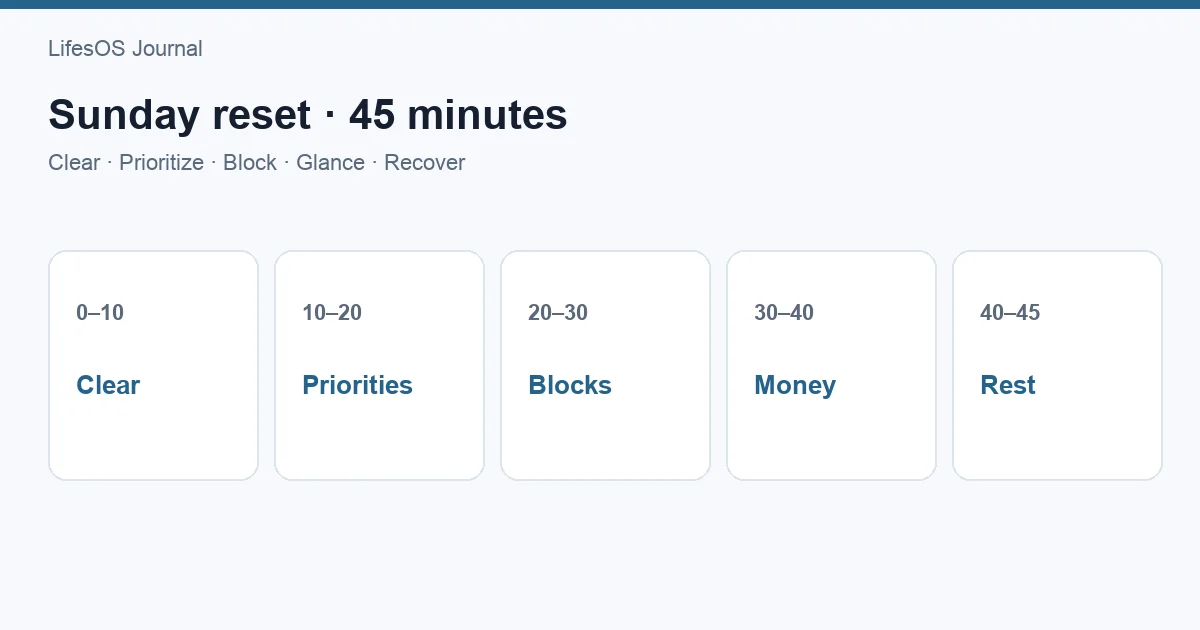
A Sunday reset can handle groceries, household preparation, and calendar coordination before the workweek. When those logistics are visible, Monday's 10-minute plan becomes more accurate.
Common daily planning mistakes
- Starting with the task list instead of the calendar. Capacity must shape selection.
- Choosing five must-dos. If everything is protected, nothing is.
- Using vague outcomes. Define a visible finish line.
- Ignoring transitions. Include travel, preparation, and recovery.
- Planning every open minute. Leave capacity for change.
- Rolling tasks forward automatically. Reassess scope and relevance.
- Copying an ideal morning routine. Use your responsibilities and energy.
- Skipping shutdown. A brief close improves the next forecast.
10-minute daily planning checklist
- Check energy and overnight changes.
- Add fixed commitments and transitions.
- Estimate actual open capacity.
- Choose one must-do.
- Choose up to two supporting outcomes.
- Give each outcome a finish line.
- Place work in suitable calendar blocks.
- Add short transitions and a larger buffer.
- Write what will shorten, move, or drop.
- Prepare the first physical action.
Related: Choose focus with task prioritization and a realistic load via how many tasks to plan per day.
FAQ
Should I plan my day at night or in the morning?
Either works. Evening planning reduces morning decisions; morning planning uses the latest information. A useful hybrid is a five-minute shutdown and a brief morning confirmation.
How many priorities should I choose?
Choose one must-do and up to two supporting outcomes. On a highly constrained day, one outcome may be enough.
What if urgent work appears?
Use the fallback plan: protect, shorten, move, or drop. If the new request is truly more important, reschedule displaced work to a specific time or remove it.
Do I need to time block the whole day?
No. Block fixed commitments, the most meaningful work, personal necessities, and buffers. Leave the rest flexible if detailed scheduling adds no value.
Why does my plan always take longer than expected?
You may be omitting preparation, transitions, interruptions, or uncertainty in new work. Track estimated and actual duration for recurring tasks and plan less open time.
Plan tomorrow in ten minutes
Use the routine once without redesigning your whole system. Keep the plan small, protect the must-do, and review what happened at shutdown. Better daily planning comes from repeated forecasts and feedback, not a perfect template.
Start a free 7-day LifesOS trial to connect daily priorities, calendar blocks, buffers, and weekly direction in one schedule.