
Finance
Track income, expenses, categories, budgets, spending patterns, and your current balance.
AI-powered Personal Operating System
LifesOS is an AI-powered personal operating system — one workspace to track money, plan your time, log nutrition and activity, reflect on goals, and review your week with clarity.
Start on the web · Android early access · iPhone coming soon
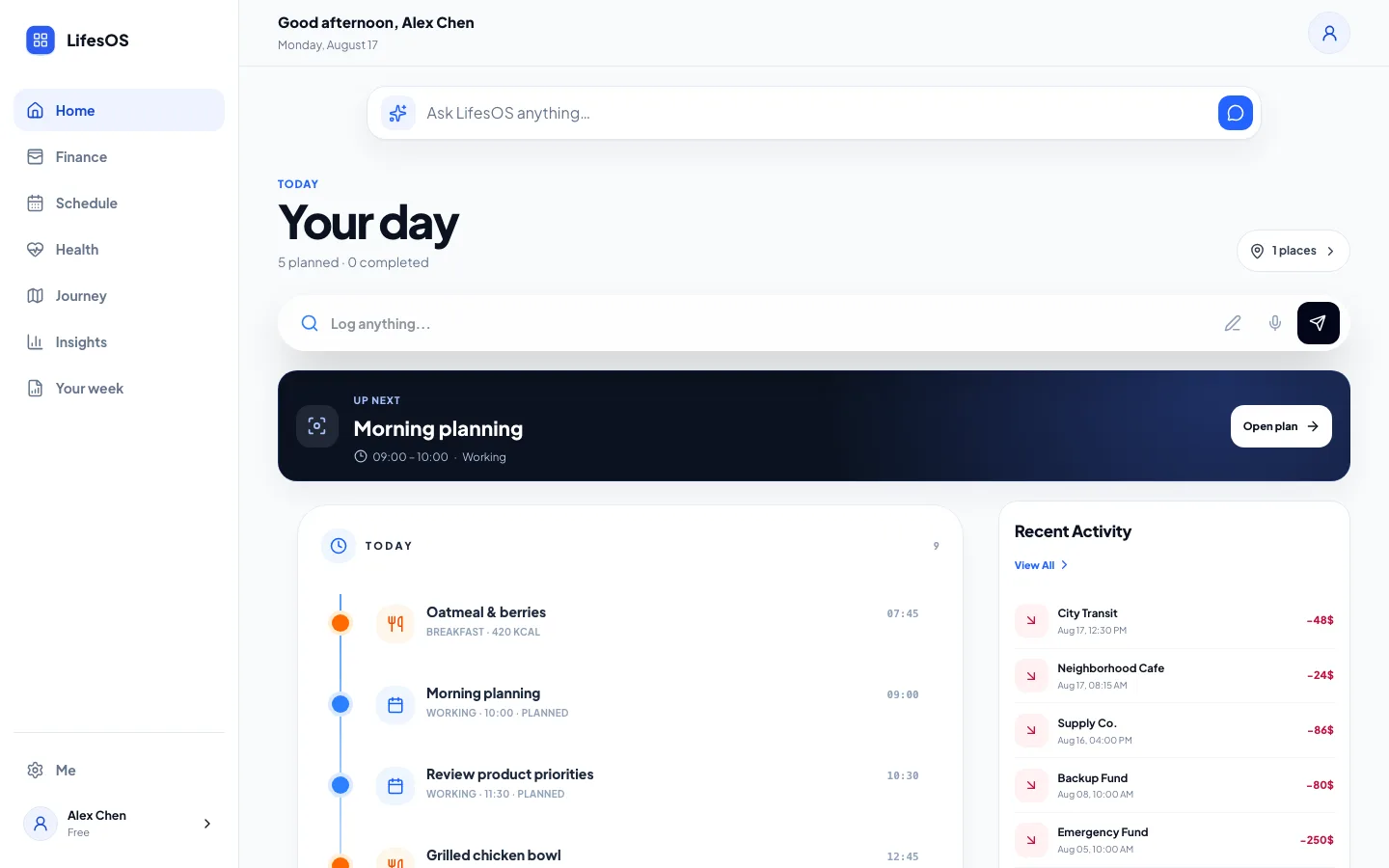
The current LifesOS product interface for English-speaking users.
A clearer system
Money sits in one place. Calendar events in another. Meals, workouts, and the moments worth remembering rarely connect.
LifesOS brings the pieces together
Your daily inputs become a connected personal workspace organized by domain and turned into useful patterns.
Watch the introduction
Everyday life, connected
Each area stays focused, while Home and Insights bring the bigger picture together.
Track income, expenses, categories, budgets, spending patterns, and your current balance.
Plan tasks, events, recurring schedules, routines, and the next activity that needs focus.
Log meals, calories, protein, carbohydrates, and fat against your personal targets.
Keep exercise duration and calories burned alongside the rest of your daily context.
Reflect, review, and grow from the places, notes, and memories you keep across everyday life.
AI-assisted input
Describe what happened or what you plan to do. LifesOS interprets the intent, structures the details, and asks you to confirm before saving.
Product in context
Home combines your timeline, current focus, recent money activity, and a daily summary without forcing you through separate dashboards.
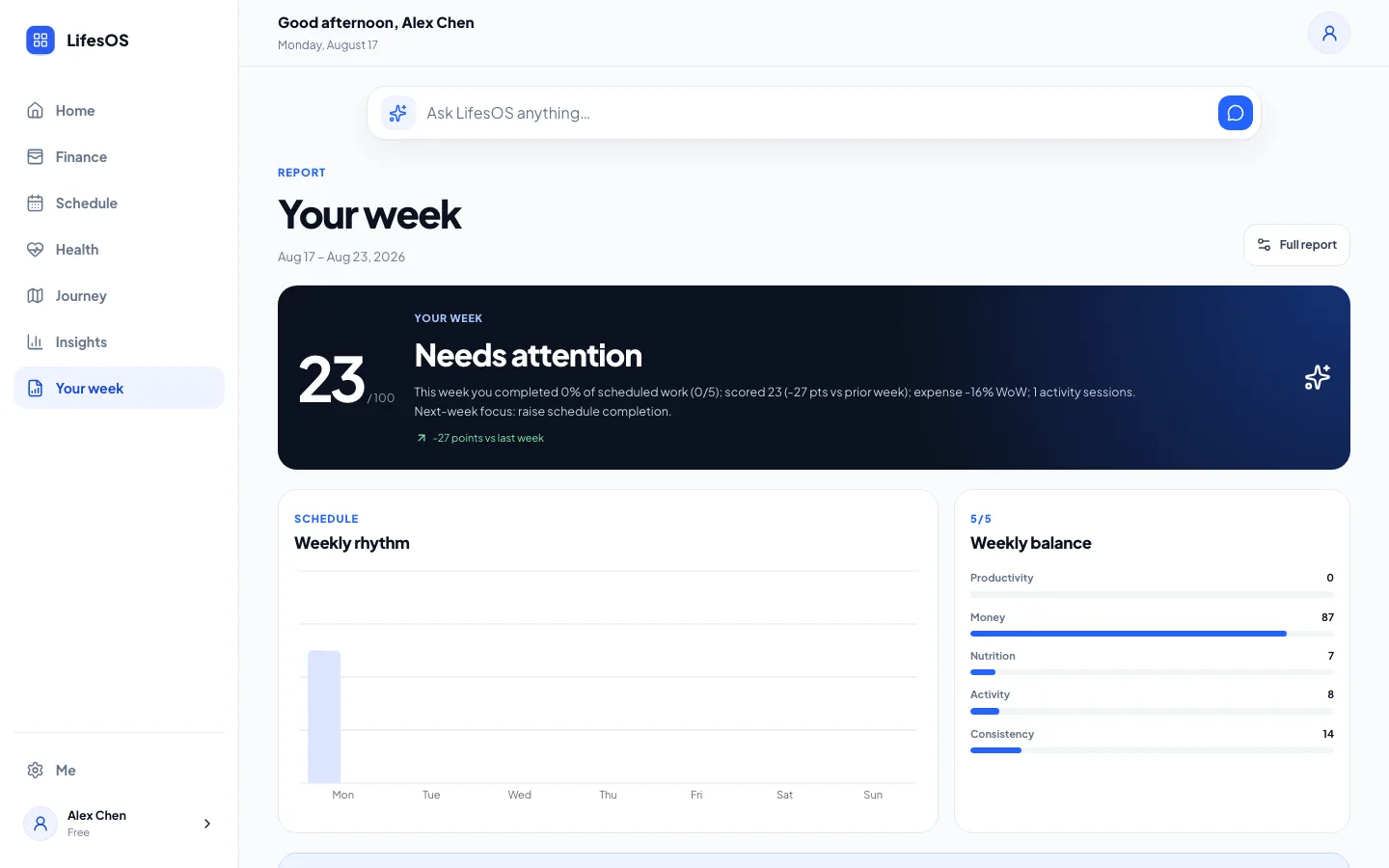
From tracking to understanding
Weekly Report combines the records you create into highlights, comparisons, trends, and recommendations you can review in one place.
The bigger picture
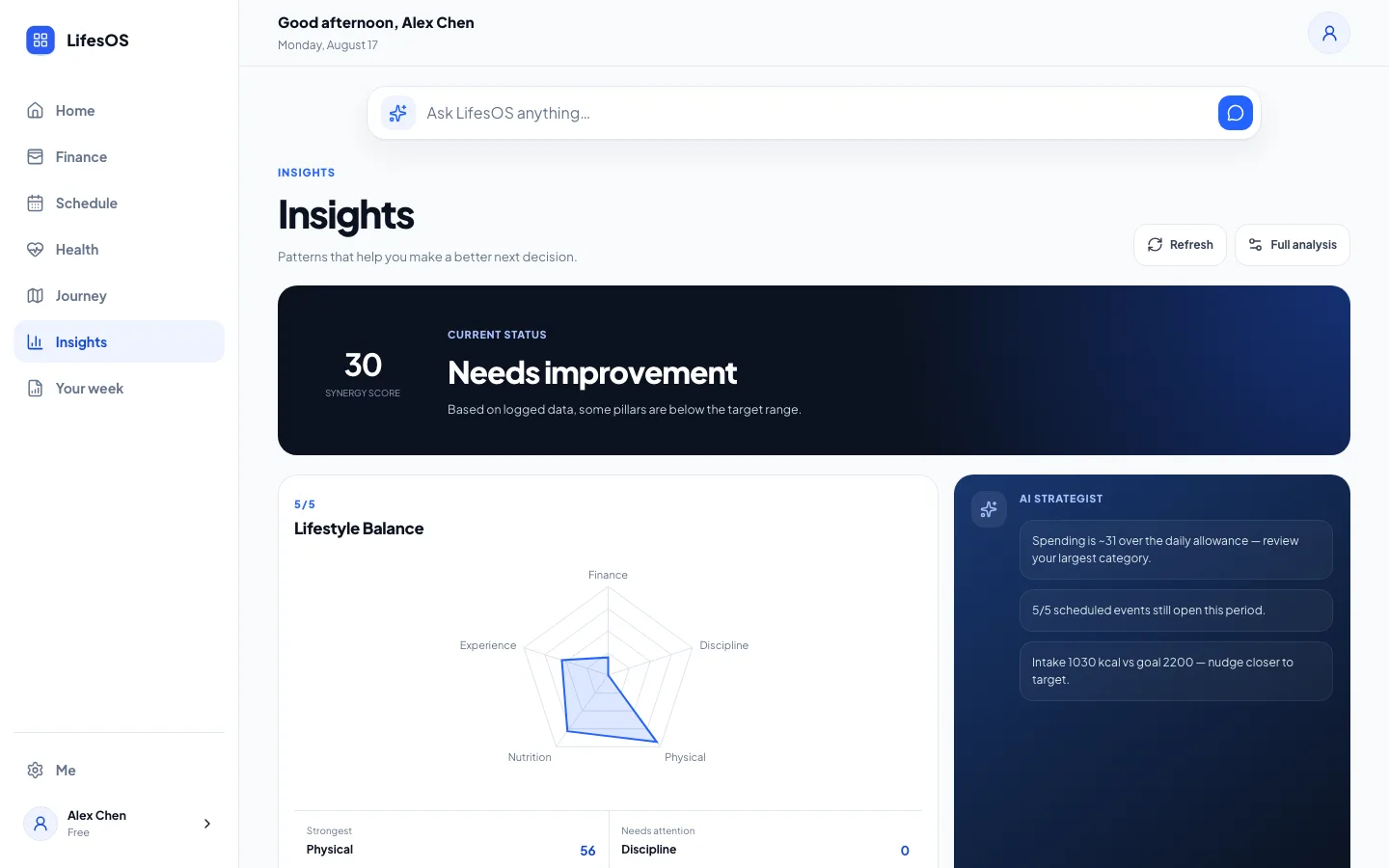
Separate signals become easier to interpret when they can be viewed together. LifesOS surfaces trends, highlights, and practical recommendations from the information you choose to record.
How it works
Tell LifesOS what happened or what you plan to do manually or with AI-assisted input.
Review the structured details and save them into the right part of your personal system.
Use Home, Insights, and Weekly Report to spot patterns and decide what matters next.
Getting started
A complete product guide from the real LifesOS UI — account setup, Home, Finance, Schedule, Nutrition, Journey, Insights, Weekly Report, AI Expert, and plans (~8 min with narration).
Cross-device experience
When you sign in to the same LifesOS account, your data stays synced across supported devices.
Use the full LifesOS workspace from a modern browser.
Open web appAndroid is currently available through early access.
Android access detailsLifesOS for iPhone is coming soon.
iPhone availabilityPrivacy and security
LifesOS uses practical safeguards to help protect your account and data.
Read our Privacy PolicyBuilt for everyday life
Keep the day’s moving parts visible without switching between disconnected tools.
Organize scheduled activity, review completion, and keep the next focus visible.
Review meals, macros, exercise, and movement alongside your weekly insights.
Pricing
Explore LifesOS before choosing your plan.
Save 17%
For managing your everyday life with AI.
Save 14%
Your complete LifesOS experience with AI Expert.
FAQ
LifesOS is an AI-powered personal operating system for organizing finance records, schedules, nutrition, activities, journey notes, and personal insights in one workspace.
You can track income and expenses, tasks and recurring events, meals and macros, exercise activity, places, notes, and related daily progress.
Describe what happened or what you plan to do. LifesOS extracts structured details, lets you review them, and saves confirmed items to the appropriate module.
Android is available through early access. LifesOS for iPhone is coming soon.
Yes. You can use LifesOS in your browser at lifesosapp.com.
Yes. When you sign in to the same LifesOS account, your data stays synced across supported devices.
After email verification, new accounts get 7 days of core AI features, reports, and AI Expert Chat with a usage limit. No credit card is required.
Pro includes AI text and voice input, Finance, Schedule, Nutrition, Activity, Journey, Reports, Weekly Reports, and AI Analysis. It does not include AI Expert Chat.
Advanced includes everything in Pro plus AI Expert Chat and the LifesOS Chat conversational companion app. Prices stay $29/month or $299/year.
Pro is $9.99/month or $99/year. Advanced is $29/month or $299/year. USD amounts do not change with language. Subscriptions renew until cancelled. International card checkout is processed by Lemon Squeezy as merchant of record on the website.
Yes. Open Settings → Manage subscription, or contact support. Access continues through the period you already paid for.
Open Settings → Danger zone → Delete account, then complete the password and confirmation steps. Public instructions are available on the Account Deletion page.
Data is used to provide the service, secure your account, synchronize records, and process AI requests you initiate. Read the Privacy Policy for details.
Ready when you are