AI & Life
What Is a Personal AI Assistant — and What Should It Actually Do?
A useful personal AI assistant turns your requests and approved context into structured, reviewable actions across the parts of life you choose to connect.
A personal AI assistant should do more than answer questions. It should understand the context you deliberately provide, turn natural-language requests into useful drafts or actions, preserve your control, and help connect decisions across areas such as schedule, finance, nutrition, activity, and goals. The standard is not clever conversation; it is reliable assistance that reduces friction without hiding what changed.
That distinction matters because many products use “assistant” for any conversational interface. A chat box may be useful, but a truly personal assistant needs memory boundaries, structured context, permissions, confirmation, and a clear way to correct mistakes.
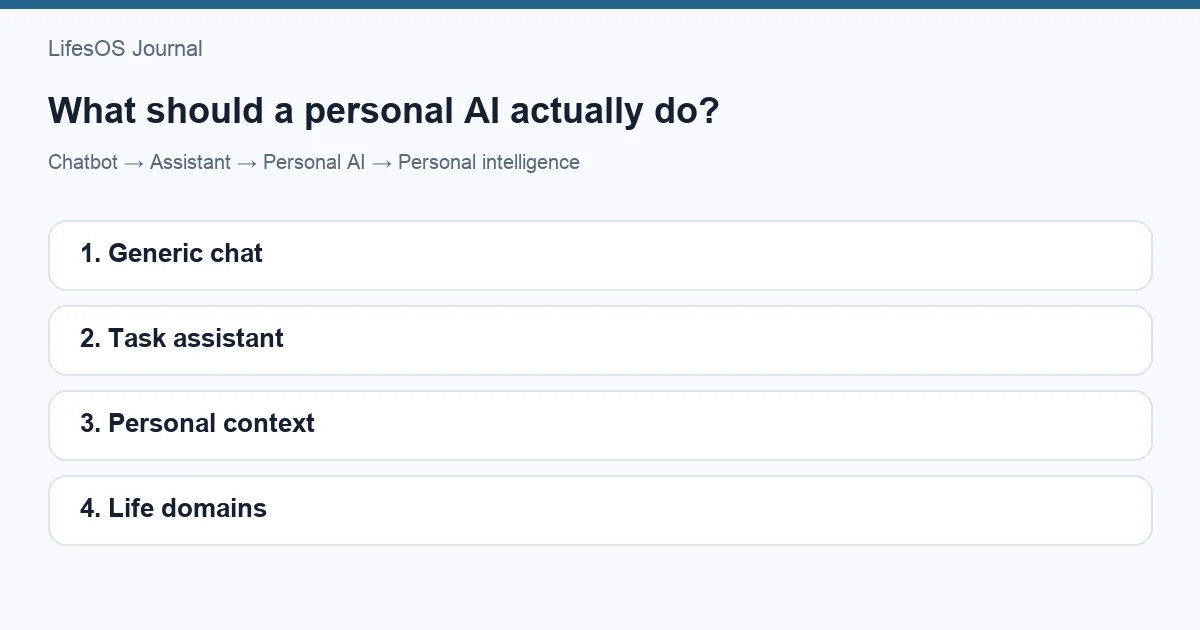
Chatbot, assistant, personal AI, or personal intelligence system?
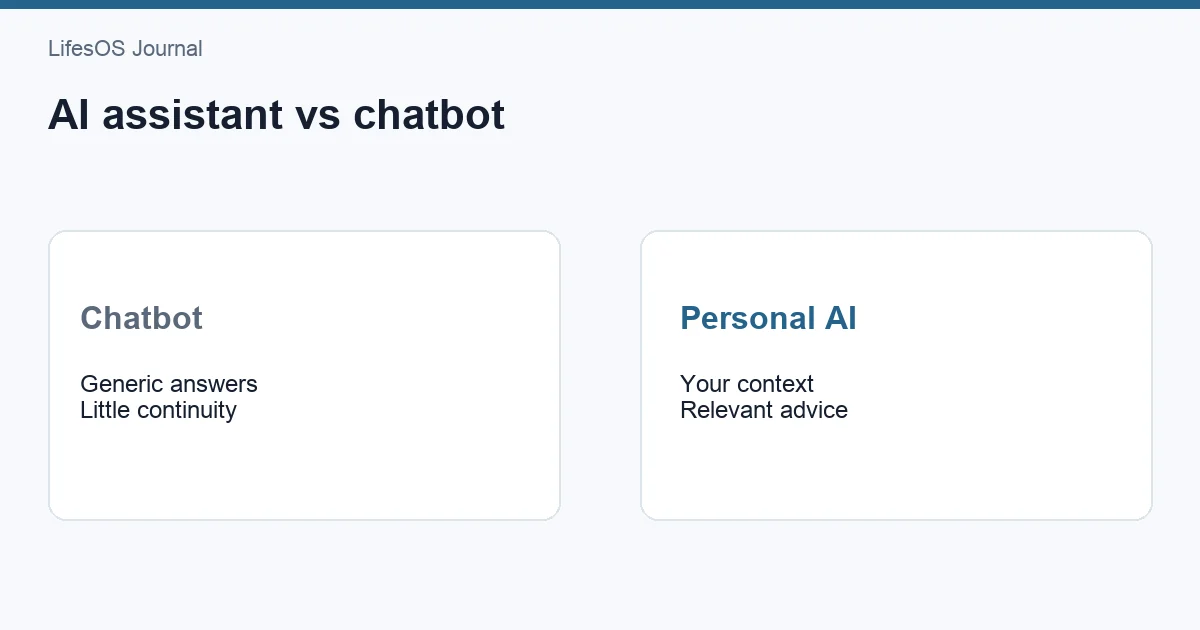
These terms overlap in marketing, but they describe different levels of capability. The differences become clearer when you ask what context the system uses and whether it can produce a durable result.
| Term | Primary role | Typical context | Expected output |
|---|---|---|---|
| Chatbot | Conduct a conversation and answer prompts | Current conversation, sometimes recent history | Text response |
| Assistant | Help complete a task | Task instructions and connected tools | Draft, reminder, search, or action |
| Personal AI | Adapt assistance to an individual | User preferences, approved history, selected data | Personalized guidance or actions |
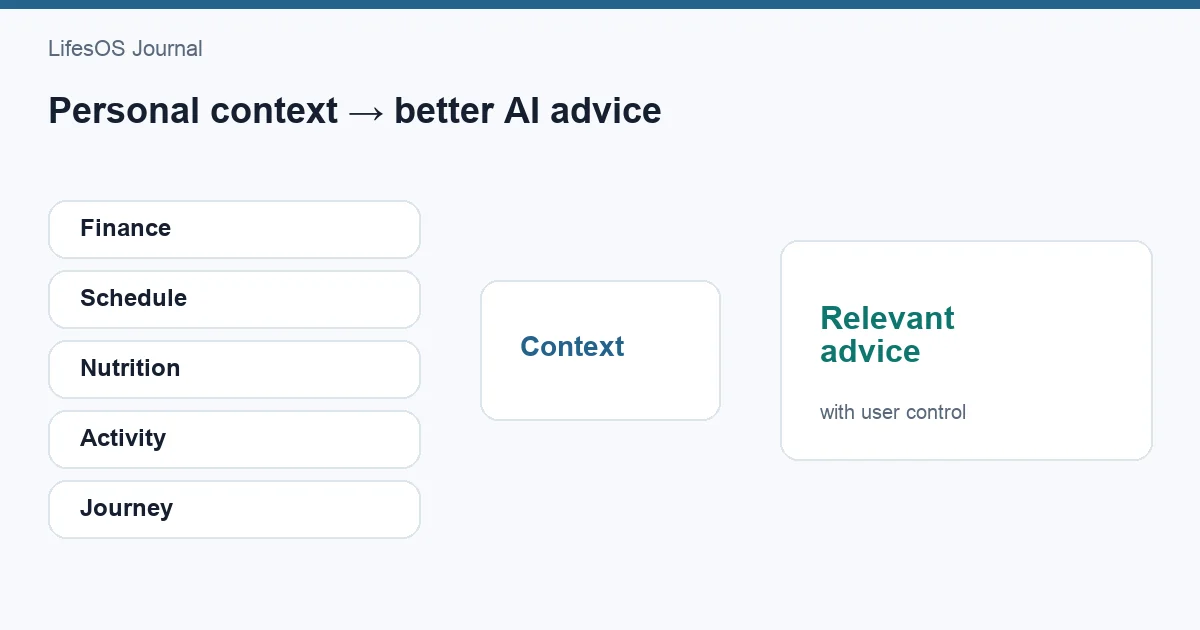
| Personal intelligence system | Connect signals across life domains over time | Structured finance, schedule, nutrition, activity, and goal context | Cross-domain summaries, drafts, patterns, and review support |
A chatbot can explain how budgets work. An assistant can draft a budget. A personal AI can use your stated categories and preferences. A personal intelligence system can notice that a busy travel week affects meal plans, training, discretionary spending, and progress toward a savings goal—while showing the evidence and asking before making consequential changes.
The categories are not certifications, and a product can combine them. The point is to evaluate behavior rather than labels.
Five jobs a personal AI assistant should do well
1. Capture natural language without losing structure
People think in phrases such as “Lunch with Sam, $24, work catch-up” or “Move tomorrow’s run to Friday morning.” An assistant should convert that input into fields that can be reviewed: amount, category, merchant, date, event, time, duration, or activity type.
The structured result matters because it can be edited, searched, summarized, and included in later reviews. A conversational answer that disappears into a transcript does not create the same value.
2. Use only relevant, permitted context
Personalization does not require indiscriminate access. A scheduling request may need calendar availability and working hours; it usually does not need transaction history. A budget question may need income, spending categories, and goals; it does not automatically need private journal entries.
Useful systems practice context minimization: use the least sensitive information required for the task, explain which sources are involved, and let the user disconnect them.
3. Draft before it commits
AI-generated structure can be wrong. “Friday afternoon” may be ambiguous, a restaurant charge may receive the wrong category, or a workout duration may be misheard. For material actions, show a preview with editable fields before saving, sending, deleting, or rescheduling.
Confirmation is not pointless friction. It is a control surface. Good design makes review quick while keeping responsibility visible.
4. Connect related signals
The benefit of personal context appears when domains interact. A calendar overloaded with evening events can explain missed training. A savings target can affect the feasible monthly entertainment budget. A long hike can change meal planning and recovery needs. Goals require time and sometimes money, not just motivation.
Connections should be framed as observations and options, not diagnoses or commands. “Your three highest-spend dining weeks also had four or more late meetings” is evidence to inspect. “You overspend because you lack discipline” is an unsupported judgment.
5. Support review, not constant interruption
An assistant does not need to speak every time it detects a pattern. Many insights are more useful in a daily or weekly review, where related evidence can be considered together. Notifications should be reserved for time-sensitive, user-selected needs.
What useful personal context looks like
Finance context
With permission, an assistant can help categorize a transaction draft, compare category totals with a budget, summarize recurring charges, or estimate how a planned purchase affects a goal. It should distinguish recorded facts from projections and avoid presenting educational information as individualized financial advice.
For example: “A $600 trip in October would require about $150 per month for four months. Would you like to create that as a goal?” That is clearer than simply saying the trip is affordable. The user still needs to consider income stability, debt, emergency savings, and other obligations. A guide to creating a monthly budget can establish those basics.
Schedule context
A useful assistant can identify open periods, protect existing commitments, estimate transition time, and offer options. It should not treat every blank hour as available. Meals, commutes, caregiving, preparation, rest, and personal boundaries are part of a realistic schedule.
When helping you plan your week, it might suggest two open focus windows and explain why, rather than silently rearranging the calendar.
Nutrition context
The assistant can turn a meal description into an editable draft, summarize patterns, or help prepare a grocery list based on planned meals. Estimates should remain labeled as estimates. Health conditions, allergies, and clinical needs require qualified guidance rather than automated assumptions.
Activity context
An assistant can log a completed session, compare planned and completed activity, or suggest open calendar windows for a chosen routine. It should not diagnose pain, infer fitness readiness, or pressure the user to train through symptoms.
Goals and journey context
Goals become actionable when connected to milestones, weekly actions, time, and money. An assistant can break a selected outcome into a draft plan, surface the next milestone, and include progress in a weekly review. The user should be able to revise or reject every proposed step.
Try a concrete workflow: In LifesOS AI, describe one item you would otherwise enter manually—a transaction, meal, activity, schedule block, or goal update—then review the structured draft before saving it.
A day with useful assistance
Consider a person preparing for a Saturday charity walk while trying to stay within a monthly dining budget.
- Monday: They ask to schedule two training walks. The assistant checks permitted calendar context and offers Tuesday morning or Wednesday evening, plus Thursday morning.
- Tuesday: They log “35-minute brisk walk.” The assistant drafts an activity entry and asks for confirmation.
- Wednesday: A late meeting appears. The assistant does not automatically cancel dinner or training; it shows the conflict during planning and offers alternatives.
- Friday: The user asks whether takeout still fits the dining plan. The assistant shows recorded category totals and remaining budget, clearly separating current data from pending transactions.
- Sunday review: A summary shows two planned walks, one completed walk, the schedule conflict, and dining spend. It asks whether to move the missed session or revise next week’s plan.
None of these steps requires the system to make life decisions. The value comes from reducing manual entry, assembling relevant context, and making trade-offs easier to see.
Why a personal operating system comes first
Assistance is only as coherent as the underlying context. If transactions live in one place, workouts in another, goals in a document, and schedules elsewhere, the assistant either sees a narrow slice or needs broad integrations with inconsistent data.
A personal operating system provides a shared structure across life domains. It defines dates, categories, goals, review periods, and relationships between records. The AI layer can then help capture and retrieve information without becoming the sole place where information lives.
This separation is healthy: your schedule remains a schedule, your budget remains inspectable, and your goals remain editable even if the assistant is unavailable.
Trust requirements that are not optional
Visible sources
If an assistant says spending increased, it should identify the period, categories, and records behind that statement. If it suggests an open schedule block, it should show the commitments considered.
Correction and reversibility
Users need an obvious way to edit drafts, undo actions, and correct stored preferences. A mistake that permanently contaminates future suggestions is not personalization; it is accumulated error.
Permission boundaries
Access should be scoped by domain and purpose. The user should know what is connected, what can be changed, and what requires confirmation.
Uncertainty
The assistant should say when a merchant category is uncertain, a nutrition value is estimated, or a request has multiple interpretations. False confidence creates more work than a short clarifying question.
Data portability
Personal data becomes more valuable over time. Export and deletion controls reduce lock-in and give the user meaningful ownership.
How to evaluate a personal AI assistant
Ignore the smoothest demo and test an ordinary week. Use this checklist:
- Can it convert natural language into an editable structured draft?
- Does it ask before consequential actions?
- Can you see which context informed an answer?
- Can permissions be limited by domain?
- Does it preserve facts separately from generated summaries?
- Can you correct, undo, export, and delete?
- Does it acknowledge estimates and ambiguity?
- Can it connect schedule, finance, nutrition, activity, and goals when relevant?
- Does it remain useful when you choose not to connect everything?
- Does it reduce work after the novelty wears off?
| Weak signal | Stronger signal |
|---|---|
| Produces an impressive answer | Produces a reviewable result you can use |
| Claims to know you | Shows which approved context it used |
| Automates everything | Matches automation to risk and permission |
| Sends many reminders | Supports a deliberate review rhythm |
| Stores everything in chat | Keeps durable data in inspectable structures |
Common mistakes when adopting a personal assistant
Connecting every source immediately
Start with one high-friction workflow. More access creates more privacy exposure and more opportunities for irrelevant context.
Automating before the process is clear
If you do not know how you want transactions categorized or goals reviewed, automation will reproduce confusion faster. Define a simple process first.
Treating summaries as records
A generated weekly narrative is helpful, but it should link back to transactions, events, meals, activities, and goal updates. Preserve the underlying evidence.
Expecting perfect memory
Personal context changes. Preferences expire, goals end, and routines shift. Review stored assumptions and make important constraints explicit.
Delegating judgment
Use assistance to clarify choices, not to outsource medical, legal, financial, or major life decisions. High-stakes questions require appropriate professionals and your own judgment.
Where LifesOS fits
LifesOS is designed as a personal intelligence system rather than a chat window attached to isolated data. Finance, Schedule, Nutrition, Activity, and Journey provide structured context; AI-assisted input helps turn ordinary language into drafts; and review surfaces help users see patterns over shared daily and weekly timeframes.
The practical value is continuity. A schedule change can be considered alongside an activity plan. A financial goal can remain visible during budget review. Nutrition and activity can share a week without being treated as medical conclusions. The user remains responsible for confirming entries and decisions.
You do not need to connect every area on day one. Begin with the workflow that creates the most repeated friction, confirm that the assistant saves time, and add context only when it creates a clear benefit.
FAQ
Is a personal AI assistant just a chatbot?
No. A chatbot primarily exchanges messages. An assistant should help complete tasks, while personal assistance uses approved individual context and produces durable, reviewable results.
Should a personal assistant remember everything?
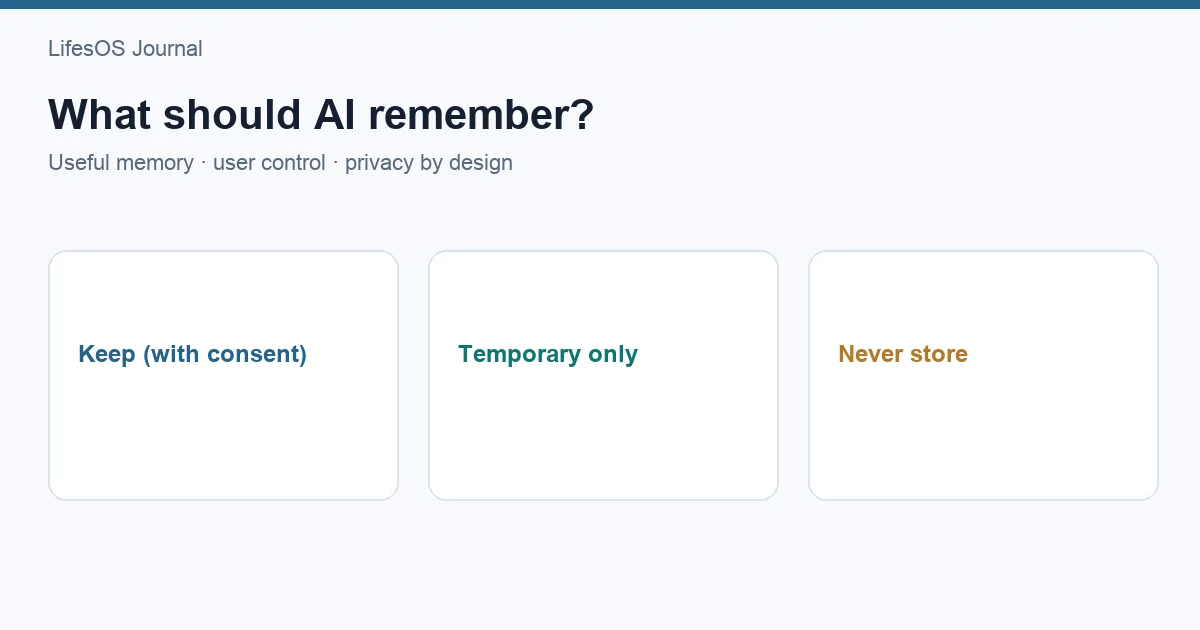
No. Useful memory should be purposeful, visible, editable, and limited by permission. Forgetting and deletion controls are as important as remembering.
Can a personal AI assistant make decisions for me?
It can organize evidence and offer options, but consequential health, financial, legal, and life decisions should remain with you and qualified professionals where appropriate.
What should I automate first?
Choose a frequent, low-risk, easy-to-verify task such as drafting a transaction category, creating a schedule block, or logging a completed activity.
What makes a personal intelligence system different?
It connects structured signals across multiple life domains and time periods. Its value comes from cross-domain context and review, not only personalized conversation.
Related: Compare formats in AI assistant vs chatbot and memory principles in what an AI should remember.
Sources and further reading
- NIST AI Risk Management Framework
- OECD AI Principles
- U.S. Federal Trade Commission: Keep your AI claims in check
- What Is a Personal Operating System?
A good assistant should leave you with clearer data, fewer repetitive steps, and more control—not another stream of messages to manage. Start a 7-day LifesOS trial and test one connected workflow across the parts of life you choose.