AI & Life
What Is a Personal Operating System? A Practical Guide
A personal operating system is a connected workspace for money, time, food, movement, and goals — so context stops getting lost between apps.
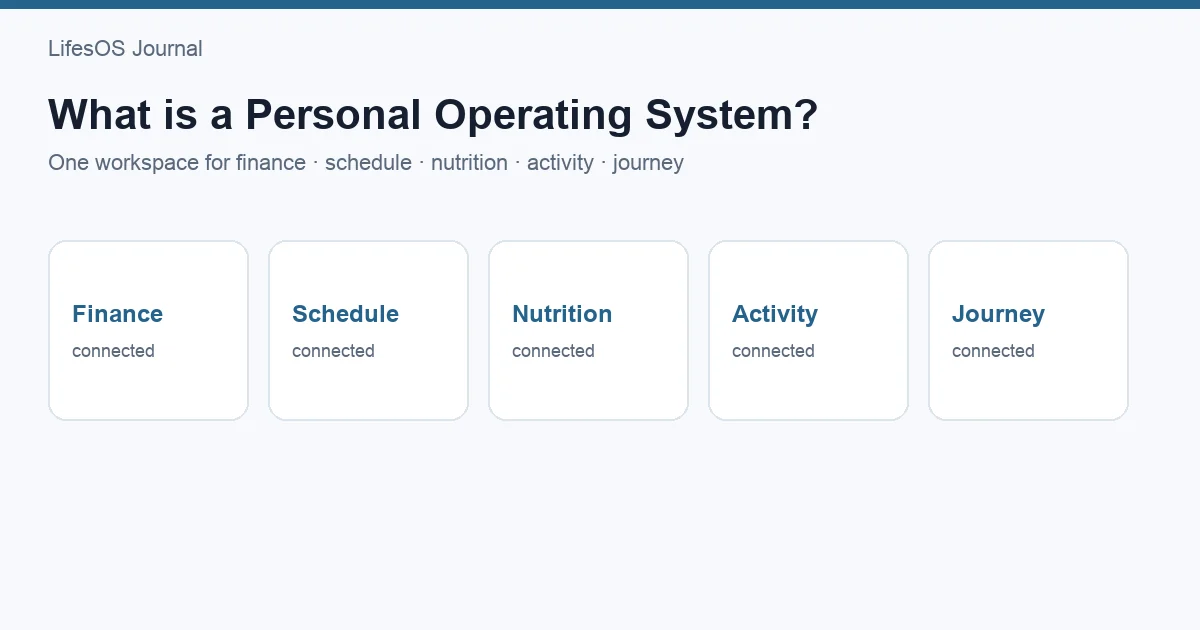
A personal operating system (personal OS) is a connected workspace for organizing recurring parts of everyday life — typically finance, schedule, nutrition, activity, and personal progress — so decisions use shared context instead of isolated apps.
- Fragmented tools create blind spots across money, time, and health habits.
- A personal OS is defined by cross-domain context, not feature count.
- AI helps when it drafts structured data you review — not when it decides unsupervised.
- LifesOS is one implementation; the concept is broader than any product.
What a personal operating system is
Like a computer OS coordinating resources, a personal OS coordinates life data. Instead of a spreadsheet here and a food log elsewhere, domains that interact stay in one environment.
- Finance — income, expenses, budgets, savings
- Schedule — plans, recurring commitments
- Nutrition — meals and optional calorie/macro totals
- Activity — workouts and movement
- Journey — goals, reflections, milestones
A weekly report that only shows spending is finance. A review that also shows schedule load, nutrition consistency, activity, and notes is closer to a personal OS.
Why fragmentation is the real problem
People rarely fail from “not enough apps.” They fail because cause-and-effect is split: chaotic weeks drive spending; missed workouts follow overloaded calendars; savings goals compete with unplanned commitments.
Personal OS vs single-purpose tools
| Tool type | Finance | Schedule | Nutrition | Activity | Cross-domain context |
|---|---|---|---|---|---|
| Spreadsheet | Yes (manual) | Possible | Possible | Possible | Low unless built |
| Task manager | No | Yes | No | Limited | Low |
| Finance app | Yes | No | No | No | Low |
| Nutrition app | No | No | Yes | Sometimes | Low–medium |
| Personal operating system | Yes | Yes | Yes | Yes | Designed in |
This is a capability comparison, not a brand ranking. Specialized tools still matter; a personal OS helps when the bottleneck is connecting signals.
What makes the idea work
- Low-friction capture
- Shared timeframes (day / week / month)
- A short weekly review ritual
- Human confirmation on AI-assisted input
Where AI fits
Useful: “Coffee $4.50, breakfast” → amount, merchant, category for review. Not useful: unsupervised medical, investment, or life decisions.
How LifesOS implements it
LifesOS includes Finance, Schedule, Nutrition, Activity, Journey, Weekly Report, and AI-assisted input. Start with the ritual on paper if needed; software makes it durable.
FAQ
Is a personal OS just a productivity app?
No. Productivity apps optimize tasks. A personal OS connects domains that affect each other — including money and health tracking — under one review rhythm.
Do I need AI?
No. AI reduces capture friction. Connected context and review define the OS.
What using a personal OS looks like in practice
Imagine a single Tuesday:
- Morning: Home shows today’s schedule and a reminder for a recurring workout.
- Midday: You log lunch with AI-assisted input and confirm macros before save.
- Evening: A $62 store run is categorized under groceries against the monthly budget.
- Sunday: Weekly Report shows grocery variance, two completed workouts, and one journey note about a goal.
None of those events is impressive alone. The value is that Tuesday’s money, time, food, and movement share a timeline — so Sunday’s review is evidence-based instead of vibes-based.
When you do not need a personal OS yet
If you are still building one habit (only budgeting, or only training), a specialized app may be better. A personal OS helps most when you already feel the cost of switching contexts: “I tracked spending but I don’t know why weeks blow up,” or “I plan Mondays and abandon Thursdays.”
Citable definition
A personal operating system is a connected system for capturing and reviewing life data across multiple domains — commonly finance, schedule, nutrition, activity, and personal progress — so decisions can use shared context rather than isolated tools.